
There’s a moment we’ve seen play out more times than we can count.
A Salesforce leader hops on a call, energized. They’re getting a pitch for the future: Salesforce AI everywhere. Copilots. Predictions. Automated summaries. Smart recommendations magically surfacing in the flow of work. It’s exciting. It feels inevitable. And it feels urgent—because everyone else seems to be rolling it out already.
So they ask, “Can we just turn on the AI?”
And that’s usually where the trouble starts.
Not because AI is bad. Not because Salesforce AI isn’t powerful. Quite the opposite.
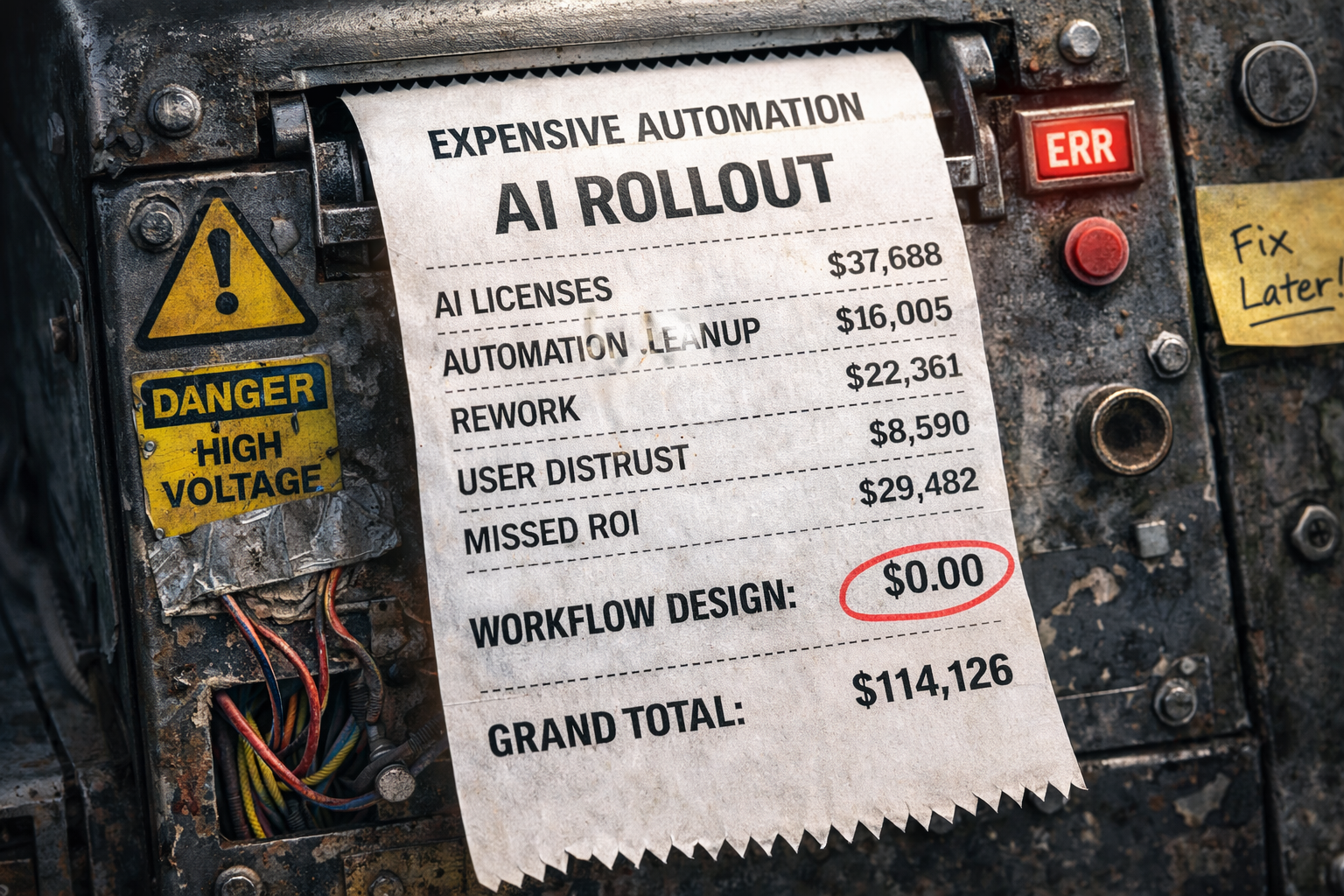
The problem is this: AI layered on top of poorly designed Salesforce Flow Builder automation doesn’t transform your business—it just automates your mess. And in Salesforce, automated messes are surprisingly expensive.
A Common Salesforce Flow Builder Implementation Story
Let’s tell a familiar story.
A sales team is struggling with pipeline visibility, and deals are stalling. Forecasts change weekly. Leadership wants answers faster. They hear about Einstein Copilot (now Agentforce Assistance) in Salesforce Sales Cloud.
“Perfect,” they think. “Salesforce AI can summarize deals, recommend next steps, and surface risks.” So Copilot gets enabled, and AI-generated summaries begin appearing on opportunities.
Recommendations start surfacing directly in Salesforce. And yet, nothing really improves. Reps ignore the suggestions. Managers don’t trust the insights. Leadership still asks for manual updates.
Six months later, someone says the quiet part out loud: “We spent a lot of money on Salesforce AI, and it didn’t change how we work.”
What happened? The AI did exactly what it was designed to do. The rub? Salesforce Flow Builder—and the underlying automation built through Salesforce Workflow Rules and Salesforce Process Builder—never clearly defined what actually mattered.
Why Leaders Rush AI Before Fixing Salesforce Flow Builder
This part matters because most organizations don’t skip workflow design out of ignorance; they skip it out of pressure.
Boards are asking about AI strategy. Peers are announcing Einstein Copilot rollouts. Budgets are approved now, not next quarter. Salesforce AI gets framed as a shortcut. A way to leapfrog messy process work. A chance to look modern without slowing down.
Meanwhile, the reality is that many orgs still have legacy Salesforce Workflow rules, partially retired Salesforce Process Builder automations, and inconsistent Salesforce Flow Builder configurations.
So leaders make a reasonable call with imperfect information: “We’ll turn on Salesforce AI first and clean up Flow later.” Unfortunately, AI doesn’t wait politely for cleanup. It starts operating immediately based entirely on whatever automation logic that Salesforce Flow Builder currently enforces.
How Salesforce Flow Builder Shapes AI Outcomes
Here’s the uncomfortable truth no glossy demo mentions: Salesforce AI doesn’t operate in a vacuum. It doesn’t invent clarity. It doesn’t fix broken processes. It doesn’t resolve internal disagreements about how work should happen. Instead, it operates on the automation you’ve already built.
Whether you’re using Einstein Predictions, Next Best Action, or Einstein Copilot, Salesforce AI relies on:
- Your Salesforce data model
- Your Salesforce Flow Builder automation
- Any remaining Salesforce Workflow rules
- Legacy Salesforce Process Builder logic
- Your approval paths
- Your historical behavior on the platform
If your opportunity stages are fuzzy, Salesforce Flow Builder reflects fuzzy logic. If reps update fields inconsistently, your Flows behave inconsistently. If five teams use Salesforce five different ways, your automation behaves five different ways—and AI amplifies it.
That’s how you end up with something far worse than no AI at all: Very confident Salesforce automation pointing in the wrong direction.
Two Salesforce Orgs, Same AI, Different Salesforce Flow Builder Results
Imagine two companies. Both use Salesforce. Both license the same Salesforce AI features. Both enable Einstein Copilot around the same time.
The first org moves fast. They enable AI on top of layered Salesforce Workflow rules, aging Salesforce Process Builder logic, and half-migrated Salesforce Flow Builder automations. Think custom stages, optional fields, and logic scattered across old workflow rules, half-migrated Flows, and tribal knowledge living in Slack. The AI works hard, but the outputs feel off. Summaries don’t match how deals are actually discussed. Predictions feel inconsistent. User adoption drops quietly.
The second org pauses. They simplify opportunity stages. They retire unnecessary Salesforce Workflow rules. They agree on what “qualified” actually means. They migrate thoughtfully from Salesforce Process Builder to Salesforce Flow Builder. They clean up automation so Salesforce Flow reflects reality, not wishful thinking. Only then do they enable Salesforce AI.
The difference is immediate. Summaries align with pipeline conversations. Recommendations feel obvious, not intrusive. Forecast discussions get shorter and better.
Same Salesforce platform. Same AI. The only difference was whether Salesforce Flow Builder deserved to be automated.
Salesforce Flow Builder: The Real Foundation for Automation
Salesforce Flow Builder doesn’t sound glamorous. It doesn’t headline keynote demos. You can’t slap “AI-powered” on it and watch executives lean forward in their chairs.
But Salesforce Workflow design answers the strategic questions AI depends on: What should happen next? Who actually owns this step? What conditions actually trigger automation? Where does human judgment belong? What outcome are we optimizing for?
When Salesforce Flow Builder is clean, intentional, and aligned, AI has something solid to amplify. When it isn’t, AI simply accelerates confusion.
What Salesforce Workflow Builder Is (And What It Isn’t)

At its core, Salesforce Flow Builder is about making explicit decisions.
It’s about creating clear automation pathways. It’s about building Salesforce Flow Builder examples that reflect how your business truly operates—not how it was documented five years ago.
Good Flow design doesn’t make Salesforce rigid. It makes it legible.
When Salesforce Flow Builder Automation Becomes Expensive
Here’s the pattern we see again and again: Salesforce Flow Builder automations are layered on top of legacy Salesforce Workflow rules and Salesforce Process Builder remnants. No one audits the log before AI gets enabled. Automation scales existing inefficiencies. User confidence erodes. Leaders question the ROI of Salesforce AI.
At that point, automation isn’t a transformation initiative anymore. It’s a line item, a technical debt with a license fee. And one that’s hard to justify, harder to unwind, and quietly blamed on “user resistance” rather than on workflow design decisions.
The Hidden Cost: User Trust in Salesforce Automation
Salesforce AI adoption doesn’t fail because users hate change. It fails because they don’t trust what they’re seeing.
If Einstein Copilot summaries contradict what Salesforce Flow Builder just triggered, users hesitate. If predictions don’t align with the automation they experience daily, users disengage.
Trust is the currency of AI adoption, and Salesforce Flow Builder is how that trust gets built, not through control, but through credibility and clarity.
What Actually Works: Clean Salesforce Flow Builder Before AI
Salesforce orgs that are getting real value from AI do something radically different. They slow down before they speed up.
They audit Salesforce Workflow Rules and design with intention. They retire Salesforce Process Builder where appropriate. They agree on definitions. They simplify before they automate. They decide where humans stay in the loop. Only then do they ask: “Where does Salesforce AI meaningfully reduce friction—or increase insight?”
When AI is layered on top of a well-designed Salesforce Flow Builder foundation, something magical happens. Recommendations feel obvious. Summaries feel trustworthy. Predictions feel actionable. Users don’t feel replaced; they feel supported.
That’s not because the AI is smarter. It’s because the Salesforce org finally makes sense.

The Real Question Isn’t “Are We AI-Ready?”
That question gets asked a lot. It’s also the wrong one.
The better question is: “Does our Salesforce Flow Builder automation deserve to be automated?”
If the answer is no, AI will only make that more obvious at scale. If the answer is yes, Salesforce AI becomes a force multiplier. Same tools. Same licenses. Very different outcomes.
Why Salesforce Flow Builder Matters Even More Now
Salesforce AI isn’t slowing down.
Einstein Copilot will increasingly trigger actions through Salesforce Flow Builder. Automation will span systems. Decisions will happen faster. Automation will span systems via the Data Cloud and integrations. Decisions will happen faster, with less human intervention.
That means unclear Flow logic won’t just confuse users; they'll also slow the team down. It’ll create risk.
Cleaning up Salesforce Flow Builder now is cheaper than untangling it later.
Design Salesforce Flow Builder First, Then Let AI Shine
Salesforce AI isn’t the villain here. Skipping thoughtful Salesforce Flow Builder design is.
When you invest in AI without investing in how Salesforce Flow Builder automation actually works, you don’t get intelligence. You get speed. And speed applied to the wrong automation just helps you get the wrong result faster.
Design the Flow. Clarify the intent. Align the humans. Then let Salesforce AI do what it does best. Because the future of Salesforce isn’t AI instead of Salesforce Workflow Builder; it’s AI because of it.
A Final, Practical Note
If this sounds familiar, you’re not alone. At Dynamic Specialties Group, this is exactly the work we help teams do every day: auditing workflow rules, modernizing Salesforce Process Builder to Salesforce Flow Builder, and building automation that actually supports AI instead of confusing it.
Whether you’re just starting to explore Salesforce Flow Builder examples or trying to untangle legacy automation before enabling AI, the conversation usually starts in the same place: Design the Flow first, and everything else gets easier from there.






SHARE