
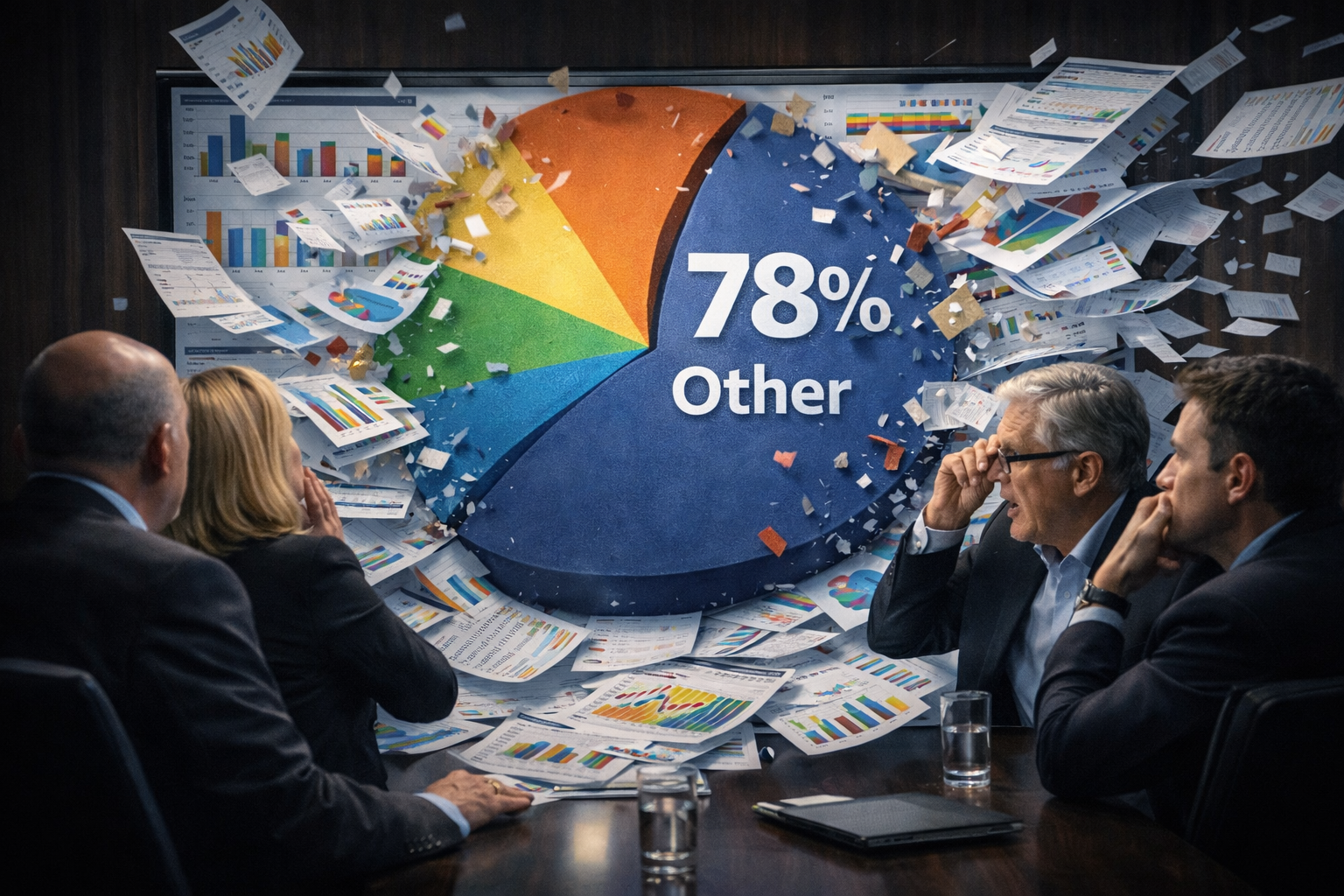
There’s a very specific kind of silence that falls over a conference room when an executive opens a Salesforce Dashboard and instantly regrets it.
The screen loads and suddenly, there are 17 colorful components, a funnel chart, a donut chart, a pie chart confidently declaring that 78% of revenue is categorized as “Other,” and a table so wide it requires scrolling (and emotional resilience).
Someone says, “This looks great,” but no one knows what it means. And just like that, the Salesforce Dashboard you worked so hard on becomes something executives open once a quarter, if at all.
We’ve helped organizations turn cluttered reporting into Salesforce Dashboards that executives actually rely on. The difference isn’t more data. It’s sharper alignment. The best Salesforce Dashboards for executives don’t overwhelm. Instead, they clarify performance and accelerate decisions.
Let’s walk through how to build Salesforce Dashboards that leadership teams genuinely use, along with real-world Salesforce Dashboard examples that changed the way companies operate.
Why Most Salesforce Dashboards for Executives Miss the Mark
Most Salesforce Dashboards for executives aren’t technically wrong. They’re just unfocused. When you’re building reports in Salesforce, the platform makes it easy to show everything. Pipeline by stage, pipeline by source, activity by rep, win rates by segment, and historical trend comparisons. Joined reports that pull in related objects are powerful.
But executive dashboards are not exploration tools. They’re control panels. A strong executive-level Salesforce Dashboard should answer three questions immediately: Are we on track? Where are we drifting? What requires attention right now?
If those answers aren’t visually obvious within seconds, the dashboard becomes informational rather than operational. Salesforce Dashboard creation should begin with one defining question: What business decision will this dashboard support?
Without that anchor, even beautifully constructed Salesforce example dashboards lose strategic impact.

The Dashboard Graveyard: Where Overbuilt Salesforce Dashboards Go to Rest
Now we’ll get into hypothetical real-world scenarios.
A Salesforce Partner once reviewed a Salesforce example dashboard with 22 components. It included summary reports, matrix reports, and even a joint report combining Opportunities and Activities. Technically impressive. Practically unusable.
There was no visual hierarchy, no clear KPI priority, and no goal comparisons at the top. Everything competed for attention. This is the dashboard graveyard. Other common issues show up there. Metrics that no one consistently defines. Forecast charts powered by loosely managed stages. Campaign ROI dashboards were built before Campaign Influence was properly configured.
When Salesforce Dashboard creation skips discipline in the underlying reports, executives sense instability immediately. If numbers feel inconsistent—even subtly—confidence drops.
Clarity creates visibility. Consistency builds confidence.
Salesforce Dashboard Examples: The CEO Revenue Snapshot That Replaced Slide Decks
Here’s another hypothetical. One multi-location services organization used to run 90-minute revenue meetings built entirely around PowerPoint. Sales brought one version of the numbers. Finance brought another. Marketing arrived with attribution slides that required explanation. All of that noise was replaced with a single Salesforce Dashboard designed specifically for the CEO.
At the top sat Revenue vs. Target. Beside it, a Pipeline Coverage Ratio. Below that, a Forecast Category Breakdown. Anchoring the view was a Year-over-Year Revenue Trend built from a clean summary report: five components and no clutter.
The CEO began reviewing the Salesforce Dashboard before meetings. Conversations shifted from “What are the numbers?” to “What are we doing about them?” Meetings became shorter and more focused. Alignment improved because everyone was looking at the same Salesforce Dashboard.
That’s exactly what effective Salesforce Dashboards for executives accomplish. They eliminate ambiguity.
Before: Multiple Systems and Conflicting Reports
After: One Aligned Salesforce Dashboard
Another executive team toggled between Salesforce reports, exported spreadsheets, and financial system summaries just to understand quarterly performance. Nothing was broken, but nothing was unified.

Only then did they redesign their executive Salesforce Dashboard. The new version included revenue pacing, pipeline aging, at-risk deals with no recent activity, and forecast trend comparisons against historical performance.
Within a few quarters, forecast conversations became more precise and variance narrowed significantly. The shift wasn’t magic; it was alignment. Thoughtful Salesforce Dashboard creation turns scattered reporting into shared clarity.
Salesforce Example Dashboards: The CRO Pipeline Risk View
A SaaS company repeatedly faced late-quarter forecast surprises. The early pipeline looked strong, but final results often shifted. Instead of expanding reporting complexity, they simplified the executive view.
The CRO’s Salesforce Dashboard highlighted deals closing this quarter without recent logged activity, large opportunities without defined next steps, stage aging trends, and forecast category movement over time: no vanity metrics and no filler components.
As visibility improved, sales managers began addressing stalled deals earlier. Forecast confidence strengthened; not because new data appeared, but because existing data became clearer. The right Salesforce dashboards don’t just describe performance; they also show it. They guide intervention.
Salesforce Dashboards for Executives by Industry
Executive reporting priorities vary by sector, but the structural principles for creating Salesforce Dashboards remain consistent.
Consider: A manufacturing CEO prioritizes backlog versus production capacity and margin projections tied directly to pipeline health. A financial services executive monitors compliance milestones alongside forecast strength and pipeline coverage. A nonprofit leader evaluates donor retention trends and the impact of campaign-generated revenue. A professional services firm tracks utilization rate and forward-looking capacity tied to active opportunities.
Different industries require different Salesforce Dashboard examples. In every case, however, the dashboard must connect operational metrics to strategic outcomes.
How Do I Create a Dashboard in Salesforce the Right Way?
If you’re asking, “How do I create a Dashboard in Salesforce?” The technical process is straightforward.
You begin by building reports in Salesforce. Those reports may be summaries, matrices, tabular reports with row limits, or properly structured joined reports, depending on the comparison required. Each report should align directly to a KPI and use clearly defined filters and groupings. Then comes Salesforce Dashboard creation itself.
You assemble components from those reports, position them intentionally, determine whether the dashboard runs as a specific user or as a dynamic dashboard (subject to edition limits and permissions), and configure refresh schedules to ensure up-to-date visibility. But configuration alone doesn’t create executive value.
Hierarchy matters. The most critical metric should sit where the eye naturally lands first. Goal comparisons should be unmistakable. If a component requires explanation, it likely needs simplification. Creating a Dashboard in Salesforce is a procedural process. Designing Salesforce Dashboards that executives rely on is a strategic move.
Building Reports in Salesforce: The Foundation Behind Executive-Level Dashboards
Behind every trusted Salesforce Dashboard is disciplined report architecture. If opportunity stages lack clear definitions, pipeline components become unreliable. If forecast categories are inconsistently maintained, revenue projections wobble. If Campaign Influence isn’t properly configured, marketing attribution dashboards lose credibility.
Building reports in Salesforce is not glamorous work, but it determines whether Salesforce Dashboards for executives become dependable decision tools. Strong governance produces strong dashboards.
Executive Adoption: The Human Side of Salesforce Dashboard Creation
Even technically flawless Salesforce Dashboards can fail without executive alignment. The dashboards that gain traction are co-designed. Leadership defines the KPIs. The structure reflects quarterly priorities. Executives understand how to filter, adjust views, and drill into components without assistance.
When executives participate in creating the Salesforce Dashboard, adoption accelerates. Visibility without ownership remains passive. Visibility with ownership becomes operational leverage.
What’s Next for Salesforce Dashboards for Executives?
The evolution of Salesforce Dashboards is increasingly predictive. Salesforce offers tools like Einstein Forecasting and Einstein Discovery to surface predictive insights. CRM Analytics (formerly Tableau CRM) enables deeper embedded analytics for organizations that require more advanced modeling. Automated alerts tied to thresholds can be configured using Flow to notify leadership when metrics cross defined boundaries.
Standard Salesforce Dashboards remain primarily descriptive, but when combined with these capabilities, executive visibility becomes forward-looking.
Instead of reacting to last quarter’s results, leadership teams can anticipate next quarter’s risks.
The next generation of Salesforce example dashboards blends clear visualization with intelligent insight.
If Your Salesforce Dashboards Aren’t Driving Decisions, They’re Just Decoration
Most companies have Salesforce Dashboards. Few have executive command centers.
If Salesforce Dashboard creation occurs without governance, alignment, and disciplined report building, folks simply won’t consistently trust those dashboards. And if leadership isn’t involved, adoption will stall.
But when Salesforce Dashboards for executives are aligned with strategic outcomes, built on structured reporting foundations, and intentionally designed, something shifts. Decision cycles tighten. Forecast conversations sharpen. Alignment strengthens.
At Dynamic Specialties Group, we approach Salesforce Dashboard creation as a business initiative, not just a configuration exercise. We help leadership teams define what matters most, align reporting to those priorities, and build Salesforce Dashboards executives actually use.
The best Salesforce Dashboards don’t just show performance; they help run the business.







SHARE