
There’s a moment that happens in almost every Salesforce implementation. It usually appears somewhere between the third planning meeting and the first configuration sprint. Someone leans back in their chair, looks at the screen full of fields, objects, and workflows, and asks the question that changes the energy in the room: “Wait, are we sure we’re doing this the right way?”
It’s not a bad question. In fact, it’s exactly the right one.
Salesforce is one of the most powerful CRM platforms on the planet. But with that power comes complexity. When organizations jump straight into building without a plan, that powerful CRM can quickly become an expensive digital filing cabinet. That’s why successful projects almost always start with something deceptively simple: a Salesforce implementation checklist.
Not the kind of checklist someone scribbles on a whiteboard five minutes before kickoff. The kind that guides strategy, architecture, data planning, user adoption, and long-term optimization. The difference between a smooth Salesforce deployment and a chaotic one often comes down to preparation. A thoughtful Salesforce deployment checklist gives organizations the structure they need to launch their CRM successfully and scale it over time.
Think of this article as your practical guide to the Salesforce implementation checklist that keeps your deployment running smoothly.
What Is a Salesforce Implementation Checklist?
A Salesforce implementation checklist is a structured roadmap that guides organizations through every stage of launching Salesforce as their CRM platform, from early planning and process design to deployment, training, and long-term optimization.
At its core, the checklist ensures that Salesforce aligns with how the business actually operates. A well-designed CRM implementation checklist typically includes:
- Defining business goals and success metrics
- Mapping operational workflows
- Preparing and cleaning data for migration
- Configuring Salesforce objects, automation, and security
- Integrating Salesforce with other systems like ERP platforms, marketing tools, payment systems, or document platforms
- Training users and supporting adoption
- Optimizing the system after launch
Without this structure, Salesforce implementations often become reactive projects in which features are added as problems arise.
With it, Salesforce becomes something much more powerful: a strategic operational platform that connects teams, data, and decision-making.

What Happens When Companies or Nonprofits Skip a Salesforce Implementation Checklist?
Before diving into the steps themselves, it’s worth imagining the alternative.
Picture a company that knows it needs a CRM. Their sales team tracks deals in spreadsheets. Marketing manages leads through email lists. Customer service keeps notes in shared documents scattered across cloud drives.
Leadership decides it’s time for Salesforce, licenses are purchased, and a developer begins building. Fields appear, objects multiply, automation flows are created, and dashboards start looking impressive. But six months later, adoption is low.
Sales reps still rely on spreadsheets because Salesforce feels slower than their existing process. Reports don’t match leadership expectations. Duplicate contacts appear everywhere. The system technically works, but nobody fully trusts the data.
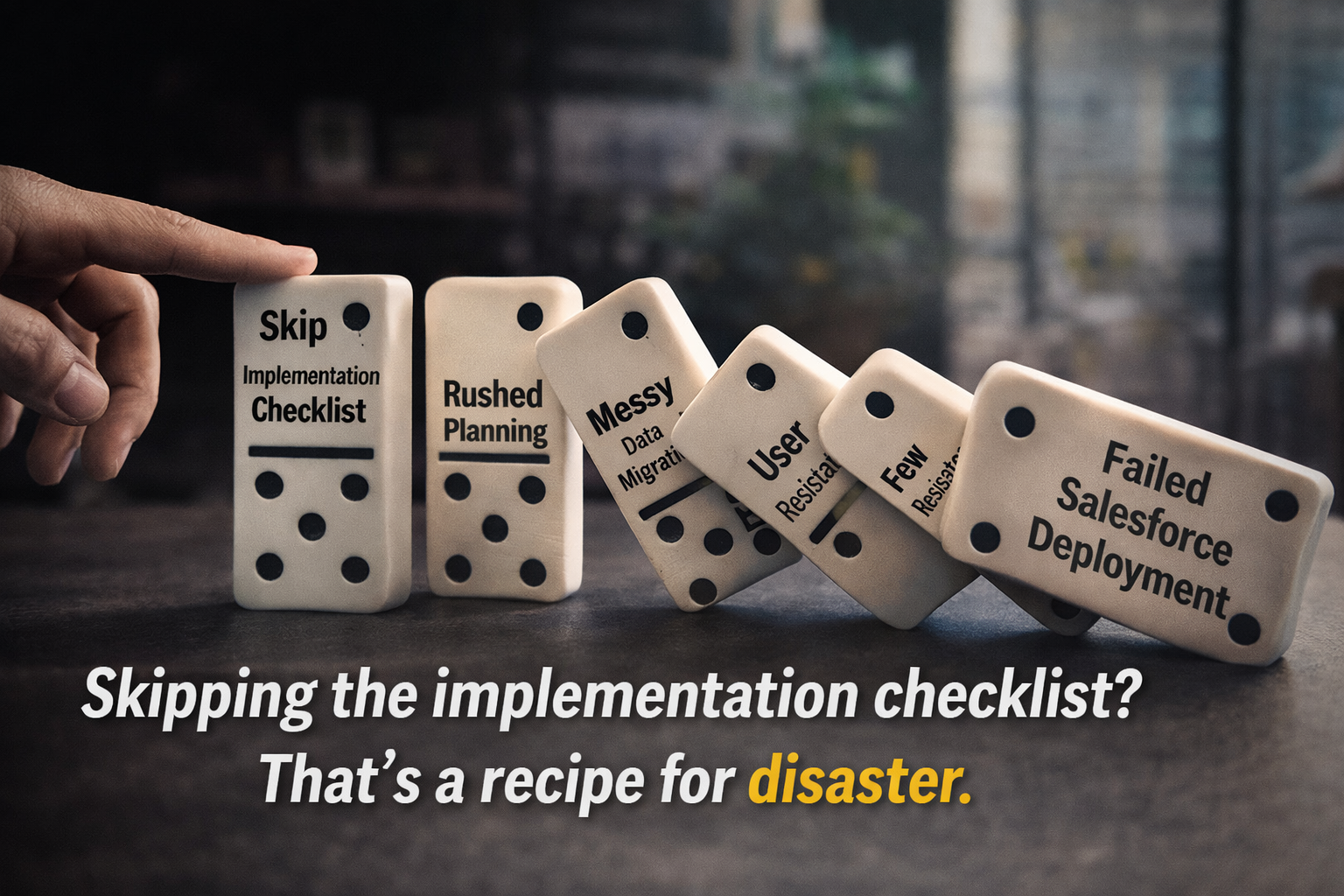
None of this happens because Salesforce is flawed. It happens because the Salesforce implementation checklist was skipped.
Salesforce is designed to centralize customer information, streamline operations, and provide insight into how organizations serve their customers or supporters. But those outcomes only appear when the system is implemented intentionally.
CRM Implementations Are Really Business Strategy Projects
One of the biggest misconceptions about CRM systems is that they’re technology projects. Spoiler alert: they aren’t. Instead, they’re operational transformation initiatives supported by technology.
A strong Salesforce implementation checklist begins with a deceptively simple question: What problem are we actually trying to solve?
The sales team may lack visibility into deal progress. Marketing and sales may operate in silos with separate lead data. Leadership may struggle to forecast revenue because pipeline data lives in multiple disconnected systems.
For nonprofit organizations, the question often looks a little different. Instead of managing sales pipelines, nonprofits may be tracking donor relationships, volunteer engagement, housing counseling services, grants, or program outcomes. But the underlying goal is the same: creating a system that reflects how the organization actually operates.
Understanding Your Current Processes Before Building Salesforce
Every organization has two versions of its processes. There’s the official version documented in slide decks and training materials. Then there’s the version employees actually follow.
Your Salesforce deployment checklist needs to uncover the second one. Because before configuring objects or automation, organizations must examine how work truly flows through the business. How leads enter the pipeline, how approvals happen, and how cases are handled.
For nonprofit organizations, process discovery becomes even more important. Housing counseling organizations, for example, often manage complex client journeys that include eligibility verification, counseling sessions, grants, and federal reporting requirements.
One housing nonprofit that partnered with DSG relied on Salesforce to produce HUD compliance reports required for federal funding. Their legacy environment depended on a managed package nearing end-of-life, putting critical reporting and operational continuity at risk. By mapping the entire client lifecycle—including counseling, grants administration, lending support, and construction programs—the organization rebuilt its workflows in Salesforce to support both compliance and client service.
That kind of clarity only comes from careful process discovery early in the Salesforce implementation checklist and a trusted Salesforce Partner.
Data: The Quiet Hero (or Villain) of Salesforce Deployment
If there’s one phase of the Salesforce implementation checklist that deserves extra attention, it’s data.
Data migration is frequently one of the most complex parts of a Salesforce deployment. Organizations often discover unexpected issues during migration: duplicate records, outdated contacts, inconsistent field values, or years of historical data scattered across spreadsheets and legacy systems.
This challenge is especially common in nonprofit environments.
By consolidating those systems into Salesforce using the Nonprofit Success Pack (NPSP) and Program Management Module (PMM), the organization created a unified view of each constituent—whether someone was a donor, volunteer, homeowner applicant, or program participant.
This type of architecture is critical because Salesforce reporting, automation, and AI capabilities—such as Einstein insights, Einstein Copilot (now Agentforce Assistant), and analytics powered by Salesforce Data Cloud (now Data 360)—all depend heavily on structured, reliable data.
Clean data leads to meaningful insights, while messy data leads to confusion. Salesforce simply amplifies whatever data it receives.
Designing Salesforce Around the People Who Use It
Even the most technically sophisticated CRM system won’t succeed if employees avoid using it. That’s why a well-structured Salesforce deployment checklist focuses heavily on user experience.
Sales representatives juggle calls, meetings, and proposals. Nonprofit staff may manage counseling sessions, volunteer coordination, or grant reporting. Service teams handle cases and client interactions simultaneously.
If Salesforce feels overly complicated, adoption suffers.
Successful implementations design the system around real workflows. Fields capture meaningful information, and dashboards highlight metrics that teams actually use. When Salesforce feels like a helpful assistant rather than administrative overhead, adoption improves naturally.
Why Many Salesforce Implementations Start Small
Salesforce can support incredibly sophisticated operations, but that doesn’t mean every feature should be deployed on day one. Many successful organizations launch Salesforce using a Minimum Viable Product (MVP) approach. That strategy focuses on stabilizing core operations first.
One NeighborWorks organization faced exactly this challenge when its legacy Compass CRM reached the end of support, threatening its ability to generate mandatory compliance reports. DSG implemented a configuration-first Salesforce MVP within weeks, using the HomeKeeper managed package to restore reporting, stabilize the client intake process, and eliminate manual document-management workarounds.
The goal wasn’t to build the perfect system immediately. Rather, it was to deliver a reliable operational foundation. Once that foundation was stable, the organization could continue evolving the platform over time.
Salesforce Implementation Timeline: What to Expect
The timeline for a Salesforce implementation varies depending on the organization. Smaller deployments focused on core Sales Cloud functionality may take several weeks. Mid-sized implementations often span several months. Enterprise deployments involving complex integrations, data migration, and cross-department workflows can take longer.
The most important factor influencing the timeline isn’t company size, it’s preparation.
Projects guided by a clear Salesforce implementation checklist move faster because requirements are defined earlier, stakeholders stay aligned, and unexpected obstacles are easier to manage.
Avoiding Common Salesforce Implementation Pitfalls
Many CRM projects encounter similar challenges. Some organizations attempt to configure every feature immediately, creating unnecessary complexity before users have even adopted the platform. Others replicate outdated processes exactly as they existed before the implementation, missing the opportunity to improve workflows through automation and standardization.
Another common challenge is organizational change. Adopting Salesforce requires more than technical training. It requires communication, leadership support, and clear expectations for how the platform fits into daily work.
When organizations treat Salesforce deployment as a company-wide operational transformation rather than simply a technology rollout, adoption improves dramatically.
Salesforce Implementation Checklist for Nonprofit Organizations
While the core Salesforce implementation checklist remains consistent across industries, nonprofits often adapt the framework to support mission-driven workflows. Instead of focusing on traditional sales pipelines, nonprofit implementations frequently revolve around donor engagement, program delivery, volunteer coordination, and grant management. For example, Salesforce can help nonprofits:
Track donor relationships and fundraising campaignsManage volunteer engagement and event participation
Monitor program outcomes and service delivery
Track grant pipelines and compliance reporting
When implemented correctly, Salesforce provides nonprofit leaders with a complete view of how supporters interact with the organization—from donations to volunteer participation to long-term program engagement. That level of insight is incredibly powerful for mission-driven organizations.
How AI and Data Cloud Are Changing Salesforce Implementations
Salesforce implementations today increasingly include artificial intelligence capabilities. Tools like Einstein AI, Einstein Copilot, and Salesforce Data Cloud allow organizations to surface insights that once required hours of manual analysis. Sales teams gain predictive forecasting. Nonprofits can analyze donor engagement trends. Service teams receive automated case insights.
But AI capabilities rely heavily on structured, reliable data and clearly defined processes. That’s why modern Salesforce implementation checklists increasingly include preparation for AI readiness: clean data structures, consistent workflows, and integrated systems. Without that foundation, even the most advanced tools struggle to deliver meaningful insights.
The Value of Working with a Salesforce Implementation Partner
Some organizations implement Salesforce internally, while others choose to work with experienced implementation partners. The difference often comes down to perspective.
A company implementing Salesforce for the first time is navigating unfamiliar territory. A partner that has completed many deployments brings experience with architecture decisions, integration strategies, and user adoption best practices.
DSG's approach to Salesforce implementation focuses on aligning CRM design with real operational goals. In other words, instead of simply configuring software, we help organizations build systems that support how their teams actually work. That way, Salesforce becomes more than a database—it becomes the operational backbone for sales, service, marketing, nonprofit programs, and leadership decision-making.
Life After Go-Live: Why Optimization Matters
Many organizations treat go-live as the finish line of a Salesforce deployment. In reality, it marks the beginning of the most valuable phase.
Once teams begin using the platform daily, new insights appear, automation opportunities emerge, reporting needs evolve, and integrations expand as Salesforce becomes central to operations. Organizations that continuously refine their CRM environment see the greatest long-term return on their CRM investment.
The Complete Salesforce Implementation Checklist
A successful Salesforce implementation checklist brings together every stage of a CRM deployment.
It starts with strategic alignment and continues through process discovery, data preparation, system configuration, integrations, training, and long-term optimization. Organizations that follow this structured approach don’t simply launch new software. They build a scalable operational platform that connects teams, improves decision-making, and strengthens relationships with customers, supporters, and communities.
And that’s the real purpose of a Salesforce deployment checklist; not just launching Salesforce, but building the foundation for smarter, more connected growth.
Ready to Plan Your Salesforce Implementation?
If your organization is planning a Salesforce implementation and wants to avoid common pitfalls, a thoughtful strategy makes all the difference.
At Dynamic Specialties Group, we help organizations design Salesforce environments that align with real workflows, integrate critical systems, and support long-term growth. Whether you’re launching Salesforce for the first time, modernizing a legacy CRM environment, or expanding your platform to support nonprofit programs and compliance reporting, our team can help you build a strategy-first deployment that works from day one.







SHARE